Step 1: Download and install the SentiVeillance SDK
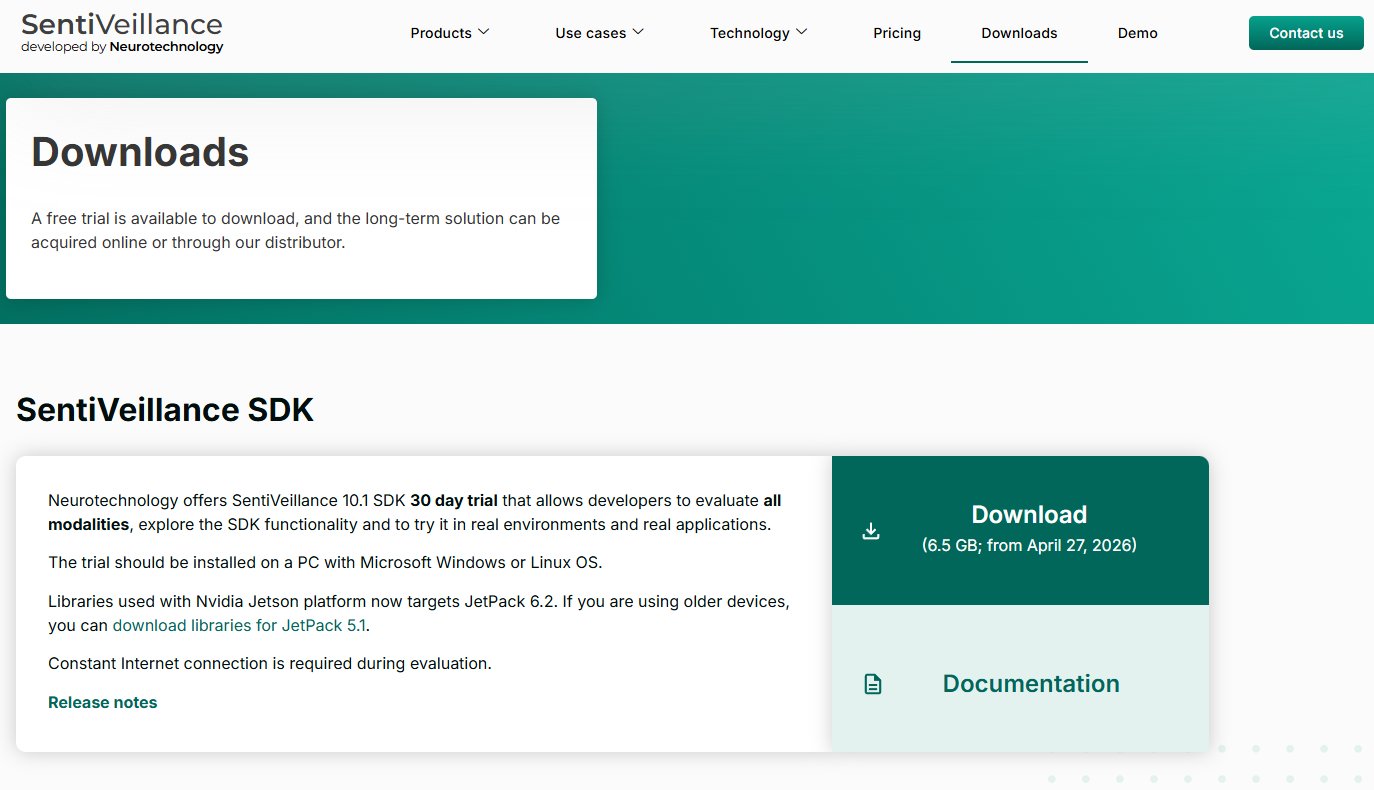
The first step is to download and launch the SentiVeillance SDK. This SDK contains the main algorithms and tools you’ll need to interact with the SentiVeillance engine.
Where to get it: Visit the official SentiVeillance website’s Downloads section. Look for the “SentiVeillance SDK” trial version.
- The SDK documentation is also available as a separate file and can be found here.
Microsoft Windows-specific installation instructions
System requirements: To install the SentiVeillance SDK for License Plate Recognition on image files, your system needs to run a 64-bit Microsoft Windows 8 or newer and must meet the following hardware requirements: a 3+ GHz 6-core CPU, at least 8 GB of RAM, and an optional GPU for high-performance batch processing.
Unpack the SDK: Extract the downloaded SDK archive to a local folder (e.g., C:\SentiVeillance_SDK.
Set Up the Environment:: Add Bin\Win64_x64 to the system PATH.
Activate ALPR License: Ensure the ALPR license is enabled. Licensing is modular – ALPR is a separate component from face or human/vehicle tracking. Activate your license via the included tools or refer to bin\Documentation\license.html.
Linux-specific installation instructions
System requirements: To install the SentiVeillance SDK for License Plate Recognition on image files, your system needs to run Ubuntu 20.04 Linux (x86 64-bit) or newer, and must meet the following hardware requirements: a 3+ GHz 6-core CPU, at least 8 GB of RAM, and an optional GPU for high-performance batch processing.
Unpack the SDK: Extract the downloaded SDK archive to a local folder (e.g., ~/SentiVeillance_SDK).
Set Up the Environment: Export LD_LIBRARY_PATH to include Lib/Linux_x86_64.
Activate ALPR License: Ensure the ALPR license is enabled. Licensing is modular – ALPR is a separate component from face or human/vehicle tracking. Activate your license via the included tools or refer to bin/Documentation/license.html.
Please note that a constant internet connection may be required during the evaluation period for the trial version.
Step 2: Prepare your test data
You have two main options for test data:
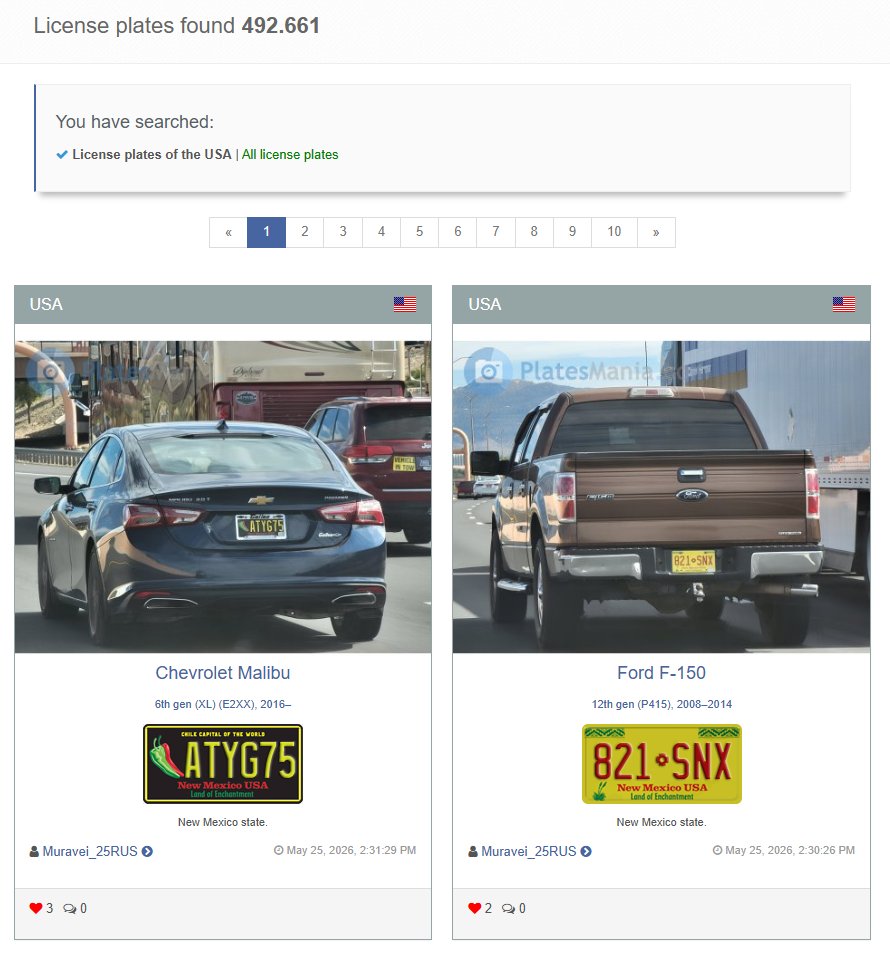
- Using Platesmania.com datasets: The photos provided on platesmania.com offer a variety of image qualities, ranging from 100 pixels up to over 400 pixels in width.
- How to download: Go to platesmania.com. Choose your desired country from the available options. You can then download photos of license plates from that country. Aim for a diverse set of images, including varying lighting conditions, angles and resolutions.

- Using your own custom data: For a more custom reliability test, you can use your own image data. This is particularly useful if you have specific scenarios or plate types you want to evaluate.
- Preparation: Ensure your custom images are clear and focused on the license plates. For accurate testing, you should have a pre-verified list of the actual license plate numbers present in each image. For example, if you have an image of a car with a license plate “ABC 123”, you’ll need to know this beforehand to compare it with SentiVeillance’s output.
Step 3: Integrate and run the test application
In your SDK installation folder, go to Bin\Win64_x64\ ->
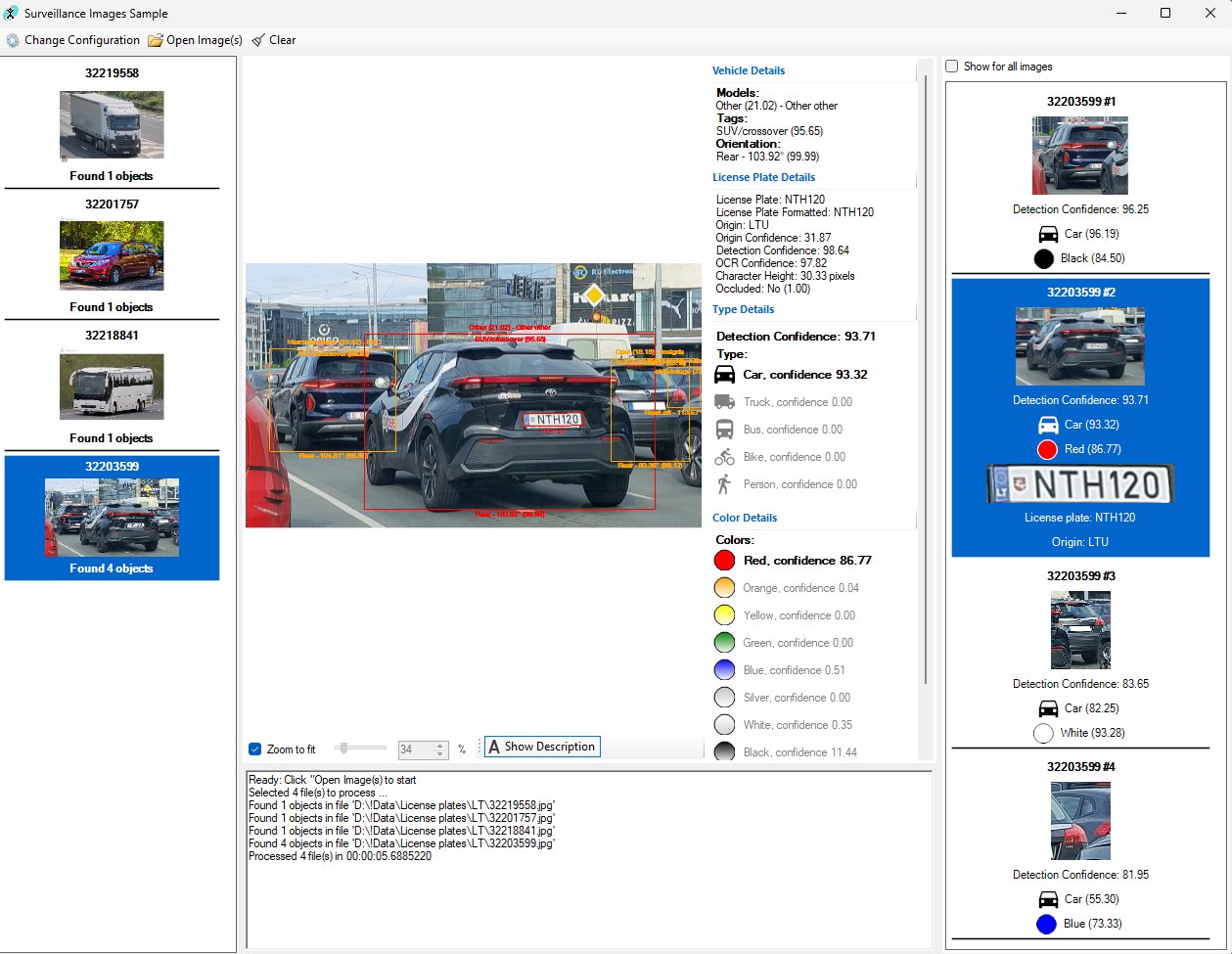
Once the SDK is installed and your data is ready, you’ll simply load your images into the SentiVeillance application we provide. This application acts as the interface, feeding your images to the SentiVeillance algorithms and displaying the results.
Using the SentiVeillance sample application, you can process static image files instead of a live video stream. To do this, simply navigate to the application, and instead of selecting a video or camera source, choose the “Add image file…” option.
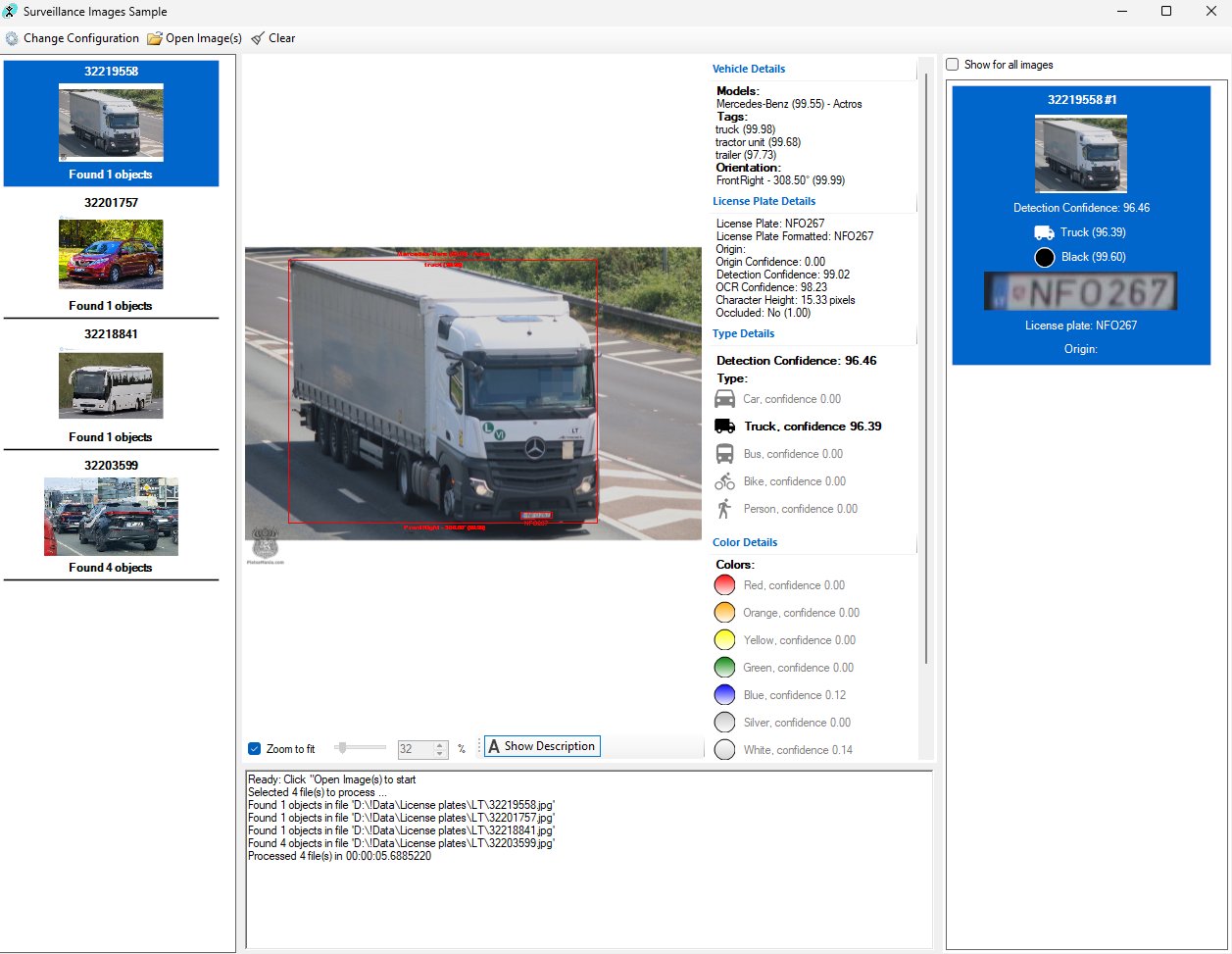
You can also use the NSurveillance API to load images programmatically. The ALPR engine will then automatically detect license plates, providing you with text values, country information, and confidence scores. This output, which includes plate text, bounding boxes, and other metadata, can be exported as logs or integrated directly into your application’s workflow for further review and analysis.
Step 5: Evaluate and Iterate
Evaluation involves reviewing detection outcomes, calculating accuracy metrics and identifying error trends that can be improved through the fine-tuning of settings.
Outcome Categories
At a fixed threshold, every detection falls into one of four categories:
- True Positive (TP): Correctly detected plate matches the annotation.
- False Positive – Prediction (FPP): Plate is detected correctly, but the value is incorrect.
- False Positive – Detection (FPD): Non-plate object falsely detected as a license plate.
- False Negative (FN): License plate not detected at all.
Accuracy Rate
Evaluates overall system accuracy by accounting for both incorrect predictions and false detections, since these errors can reduce usability and negatively impact downstream applications. The formula is as follows:

OCR Accuracy
Focuses only on the character recognition stage. See formula:

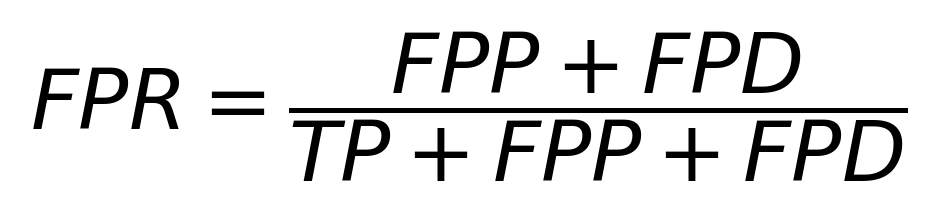
False Positive Rate (FPR)
Indicates how often a detected plate is read incorrectly, essential for enforcement scenarios where a minor error can cause significant issues:
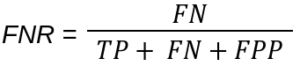
False Negative Rate (FNR)
Measures how often the algorithm misses a plate entirely: